Install. Connect. Done.
Snapcast Remote finds your server automatically. Choose it once and the app takes care of the rest.
Snapcast, made simple
Turn any Mac or iPhone into a Snapcast client, listen anywhere your local network reaches, and control your server, sources, groups, outputs, and volume from any Mac or iPhone.
Free. No ads. No in-app purchases. No subscriptions.

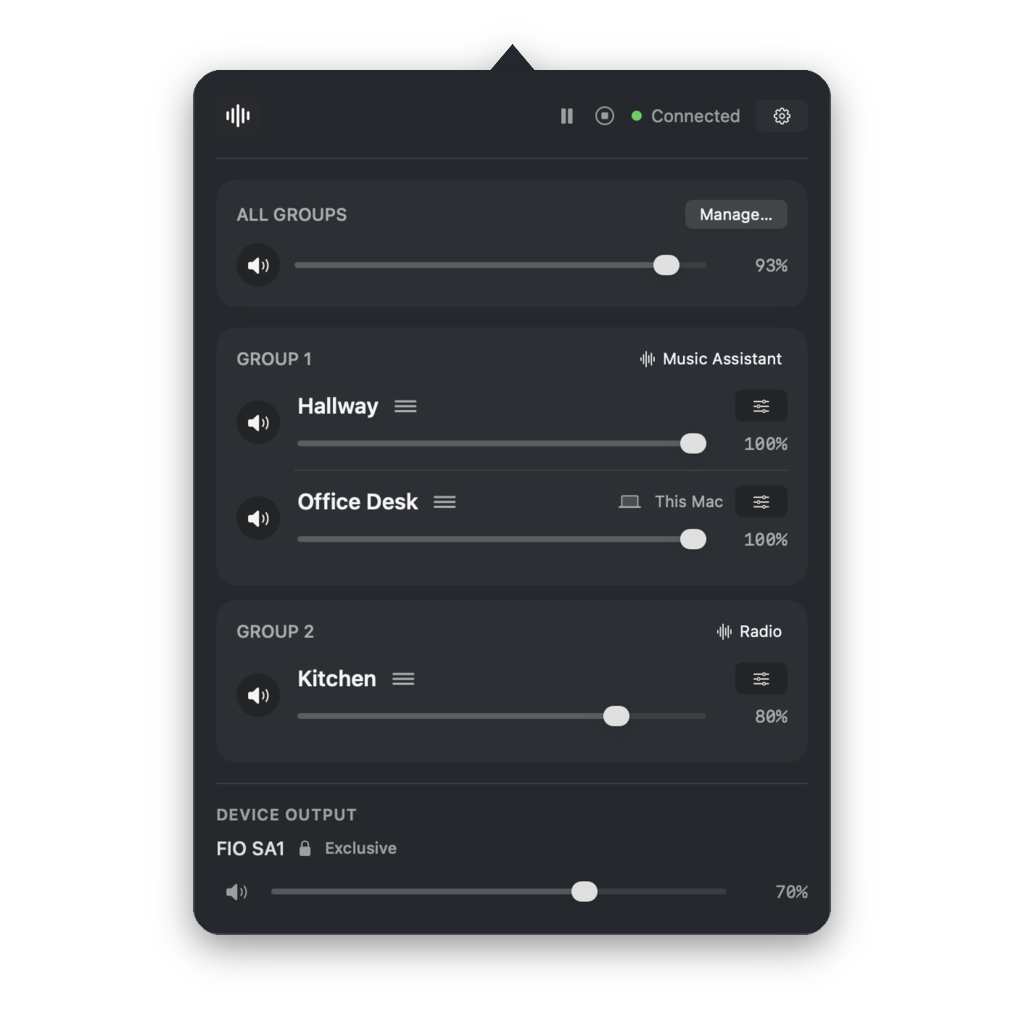
Snapcast Remote finds your server automatically. Choose it once and the app takes care of the rest.
Give every client a useful name and Snapcast Remote will keep it that way.
Move clients between groups, give each area its own source, and adjust every volume in seconds.
Use anything in the macOS sound output list, including dedicated Bluetooth speakers and USB DACs.
Correct the delay from slower Bluetooth speakers and prevent that distracting echo.
Choose between the audio sources feeding your Snapcast server from Mac or iPhone.
Also available for iOS
Snapcast Remote turns your iPhone into a portable Snapcast client, so multi-room audio can go anywhere your local network reaches. Connect a waterproof Bluetooth speaker for the shower, carry one into the garden, or keep listening wherever your fixed speakers stop.
Stay synchronized with the rest of the house anywhere your Wi-Fi reaches.
Send the iPhone output to any available Bluetooth audio device.
Switch sources, arrange groups, and adjust every client from your iPhone.
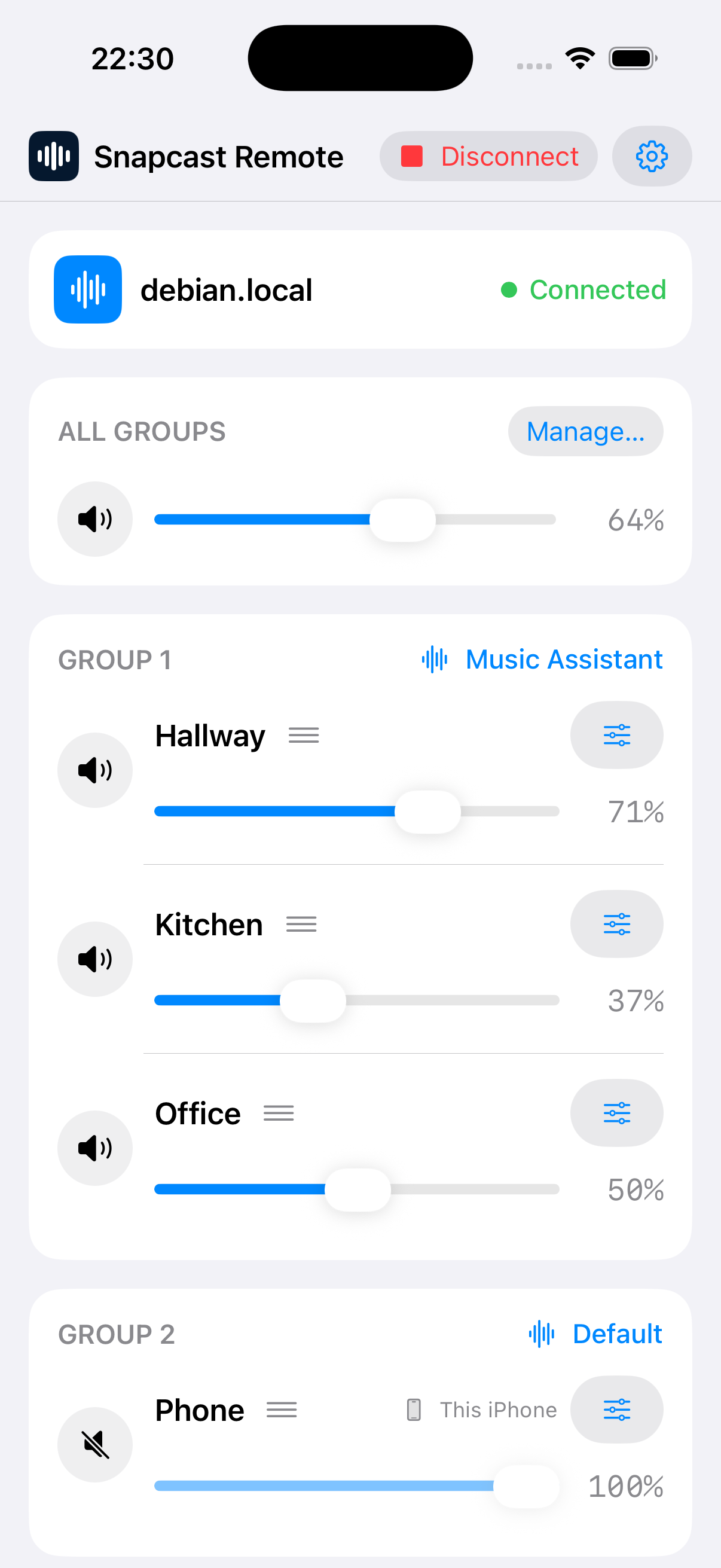
Snapcast Remote for Mac and iPhone
Install on Mac or iPhone, listen anywhere your local network reaches, and keep complete control of the system from either platform.
Made for macOS and iOS · Works with Snapcast